— Approvals

Client approvals, on every plan.

Send a post for sign-off and it holds its slot until someone says yes — clients review for free, comments stay on the post, and nobody chases screenshots over email.

Free plan · No credit card required

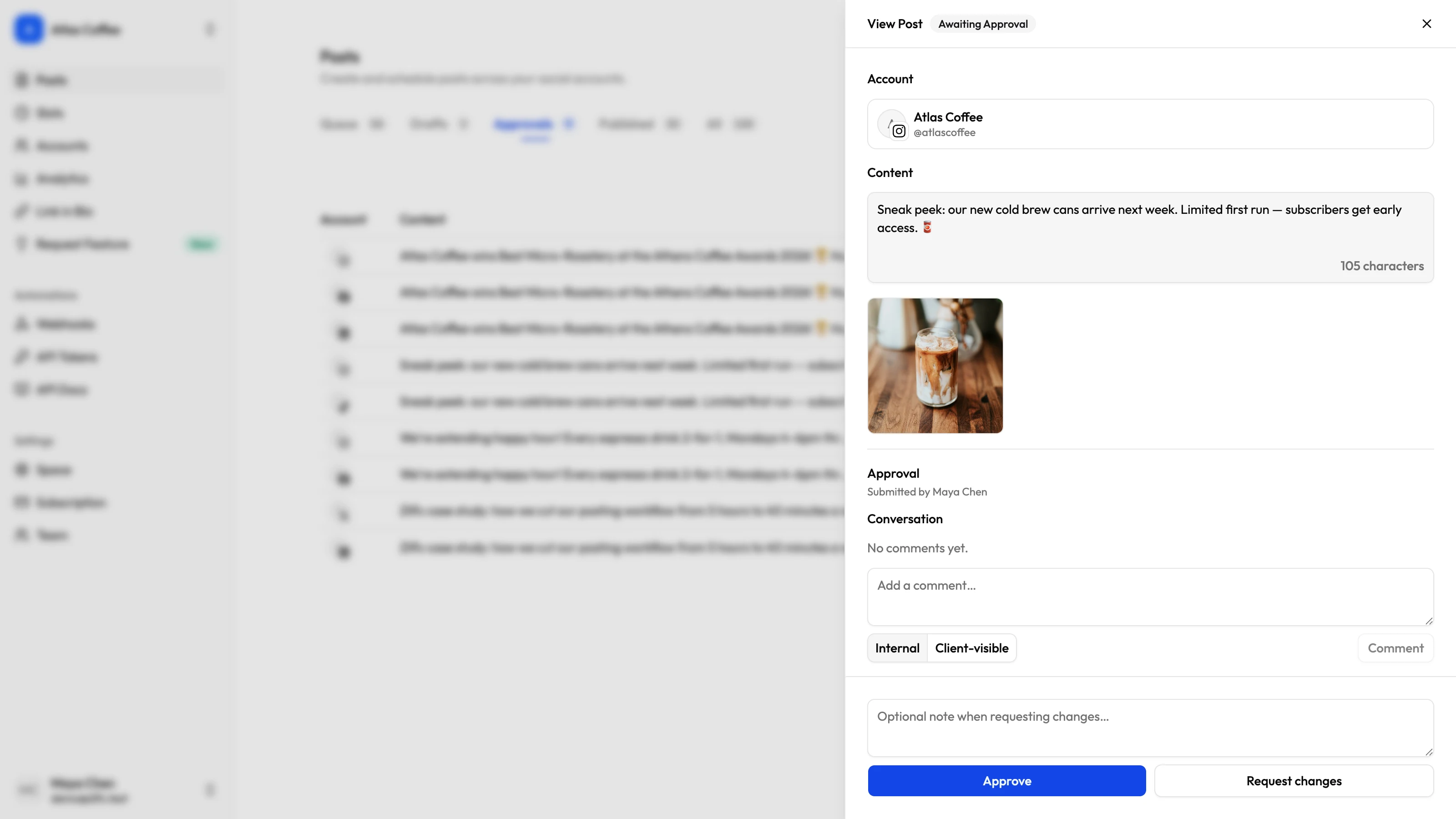
Zilfu approval review showing a pending post with its content and image, a comment thread with internal and client-visible notes, and Approve or Request changes actions
  • Pending state holds the schedule
  • Free client reviewers
  • Internal vs client comments
  • Email notifications built in
01 Hold

Nothing ships without a yes.

A member's post enters a Pending state that remembers its schedule — and never publishes on its own.

Pending holds the slot

The schedule is remembered while the post waits — approve it and it ships exactly as planned.

Never publishes alone

A pending post can't slip out — it waits for someone with approval rights.

Drafts stay out of it

Saving as a draft skips approval entirely — review starts only when a post is ready.

Permissions, not roles

Gate publishing per member with granular permissions — no rigid role ladder.

A queue of what's waiting

The Approvals tab lists every post awaiting sign-off, with a live count badge.

Withdraw and retry

Authors can pull a pending post back, keep editing, and resubmit — no approver needed to unlock it.

02 Review

Clients in the loop, not in the way.

Invite a client as a free reviewer: they see what's waiting, approve or comment, and can't touch anything else.

Free client reviewers

Reviewers never cost a seat — every plan includes unlimited team members.

Review-only access

Reviewers approve, request changes, and comment — they can't compose, publish, or change settings.

Comments on the post

Discuss each post right where it's reviewed — no side channels, no lost context.

Internal vs client-visible

Mark each note internal or client-facing; clients only ever see what's meant for them.

Read-only viewers too

Give stakeholders a window into everything, with no power to touch anything — also free.

No portal to teach

Clients review on the same Posts page you use — one login, zero onboarding decks.

03 Decide

Approve, or send it back.

One click either way — and everyone finds out without you writing a single status email.

Approve in one click

The post schedules or goes live immediately, exactly as the author intended.

Request changes

Send it back to draft with a note on what to fix — the author picks it up from there.

Everyone stays posted

Email lands on approval, change requests, and new comments — no chasing.

Per-post decisions

Multi-account posts are reviewed one by one — approve Instagram now, hold LinkedIn for edits.

Owners always hold the pen

Workspace owners can always approve, and can grant the permission to anyone.

On every plan

The full workflow on every plan, Free included — never gated behind a higher tier.

— FAQ

Approvals, asked and answered.

Yes — on every Zilfu plan, including Free, with free reviewer seats. Approvals are never gated behind a higher tier.

Yes. Invite a client with only the Approve-posts permission; they can review, approve, request changes, and comment, but can't compose, publish, connect accounts, or change settings.

No. Every plan includes unlimited team members, and client reviewers and read-only Viewers are free.

Yes. Each comment is marked internal or client-visible; reviewers only ever see client-visible notes, and internal notes are never emailed to them.

It is scheduled — or published immediately — exactly as the author intended, and the author is emailed that it was approved.

Yes. The author can withdraw a pending post at any time to keep editing it, then save again to resubmit — no approver needed to unlock it.

Approvals built in, not bolted on.

Route any post through client sign-off, with free reviewers and a clear line between internal and client comments — on every plan, including Free.